Error Handling in JavaScript

What are errors in JavaScript?
Errors, or "exceptions," occur when code doesn't behave as expected. This allows developers to control what happens when issues arise during program execution.
"Errors are not something to fear; they are opportunities for learning."
Types of Errors
Syntax Errors: Typos or breaking the rules of the language (e.g., missing a bracket).
Reference Errors: Trying to use a variable that hasn't been declared.
Type Errors: Trying to operate on the wrong data type (e.g., calling a method that doesn't exist).
Runtime Errors: Errors that happen while the code is running, like failing to fetch data from an API.
Using try and catch blocks
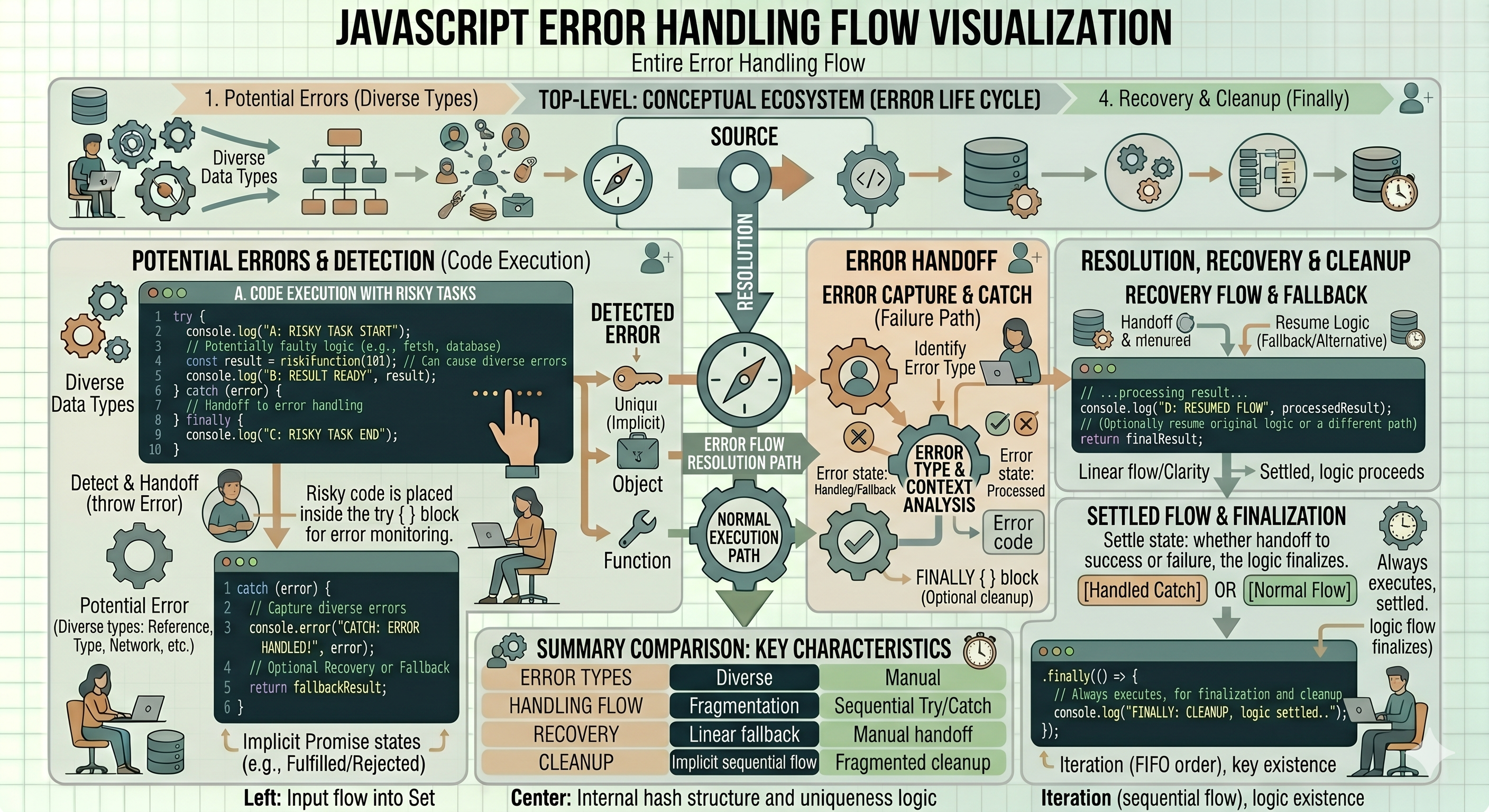
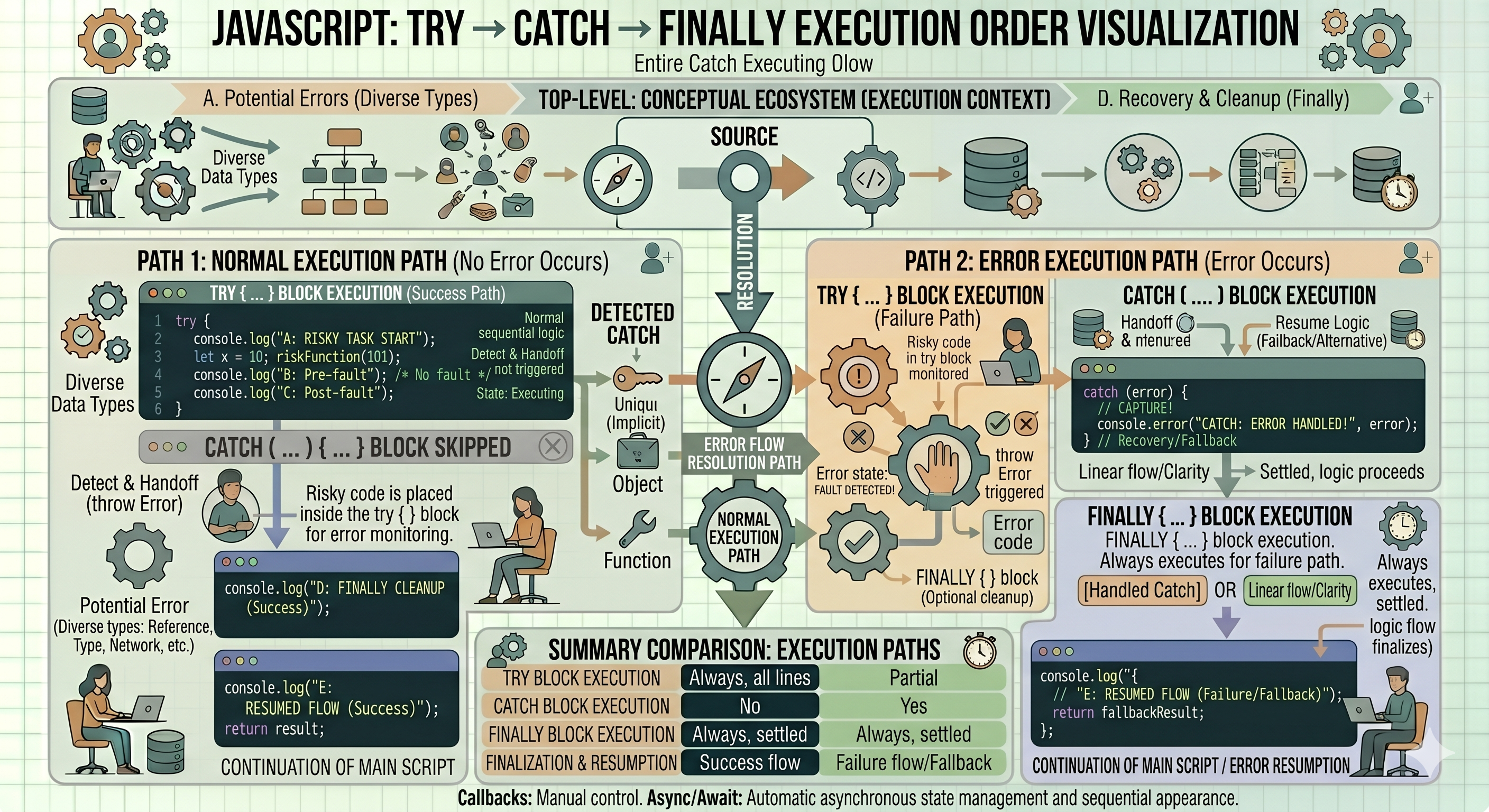
The try block lets you test a block of code for errors, while the catch block handles the error if one occurs.
try {
  // Code that might throw an error
  const result = riskyOperation();
  console.log(result);
} catch (error) {
  // Handle the error
  console.error('Something went wrong:', error.message);
}
The finally block
The finally block is the reliable part of error handling. It executes regardless of whether an error occurred. Common use cases include closing a database connection, stopping a loading spinner, or cleaning up resources.
try {
    let res = 10 / 0;
    if (!isFinite(res)) {
        throw new Error("Cannot divide by zero");
    }
    console.log(res);
} catch (error) {
    console.error("Error occurred:", error.message);
} finally {
    console.log("Execution completed");
}
Throwing Custom Errors
Sometimes, JavaScript doesn't think something is an error, but your business logic does. You can use the throw keyword to create your own exceptions.
function checkAge(age) {
  if (age < 18) {
    throw new Error("You must be at least 18 years old.");
  }
  return "Access granted!";
}
Why Error Handling Matters?
User Experience: Instead of showing a blank screen or a frozen button, the user receives a helpful message, such as "Please check your internet connection."
Security: The application prevents the leakage of sensitive system information in raw error logs.
Graceful Failure: This approach ensures that the rest of the application continues to function normally, even if a small part of it encounters an error.