Understanding Object-Oriented Programming in JavaScript
Object-Oriented Programming (OOP) is a programming paradigm centered around the concept of "objects." These objects can contain data (known as properties) and code (referred to as methods). Rather than writing a lengthy sequence of instructions, you can organize your code into modular components that interact with one another. This approach enhances code reusability, scalability, and simplifies debugging.
The Real-World Analogy: Blueprints vs. Objects
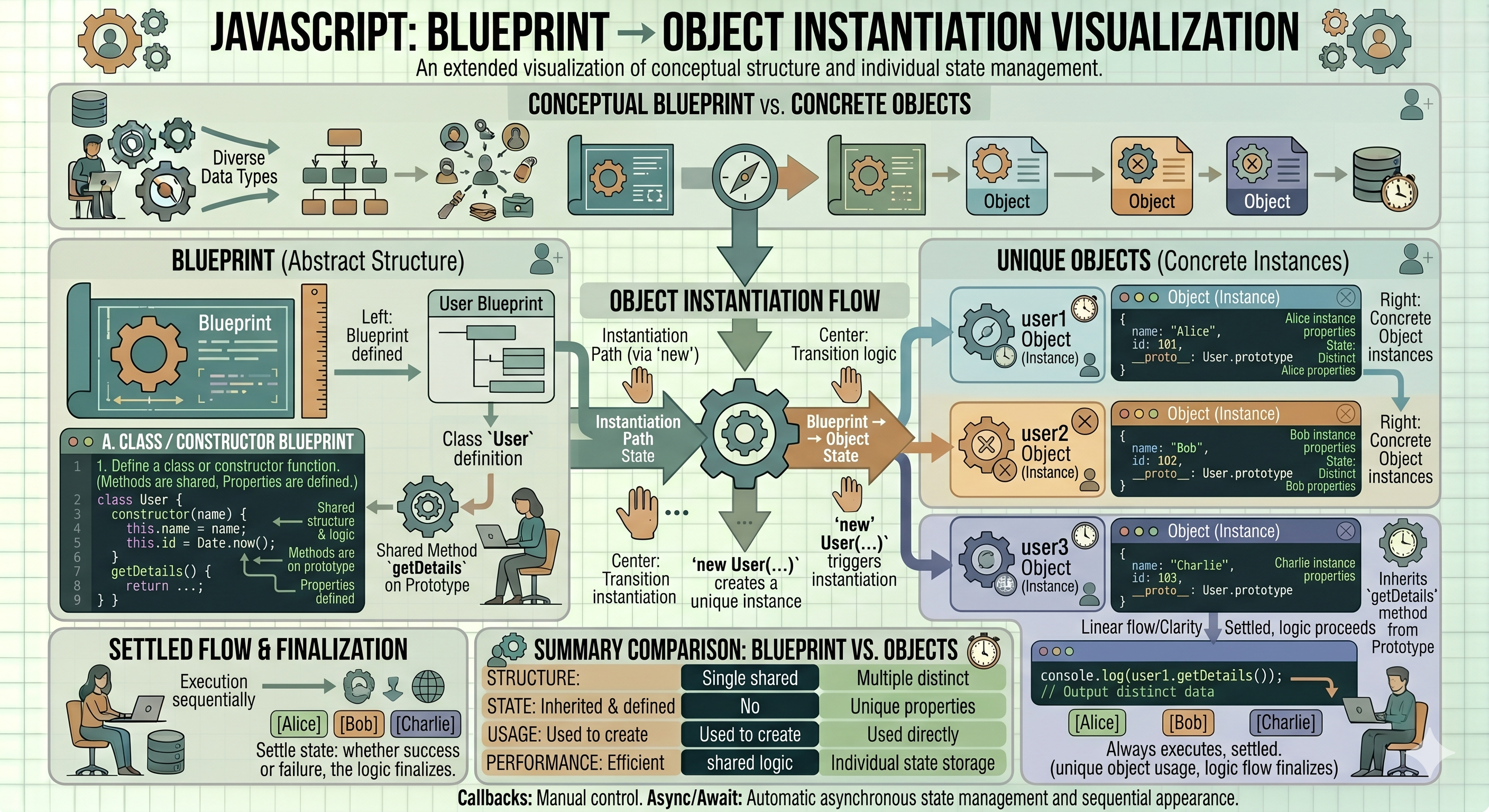
Think of a Class as a blueprint for a house. The blueprint itself isn’t a house; it is merely a set of instructions that defines what the house should look like, such as the number of rooms and the placement of windows.
An Object, on the other hand, is the actual house built from that blueprint. You can use the same blueprint to create multiple houses. While they all share the same basic structure, each house can have unique characteristics, such as different paint colors or different families living inside.
What is a Class in JavaScript?
In JavaScript, a class is a template for creating objects. It encapsulates data and the functions that manipulate that data into a single unit.
Creating Objects Using Classes
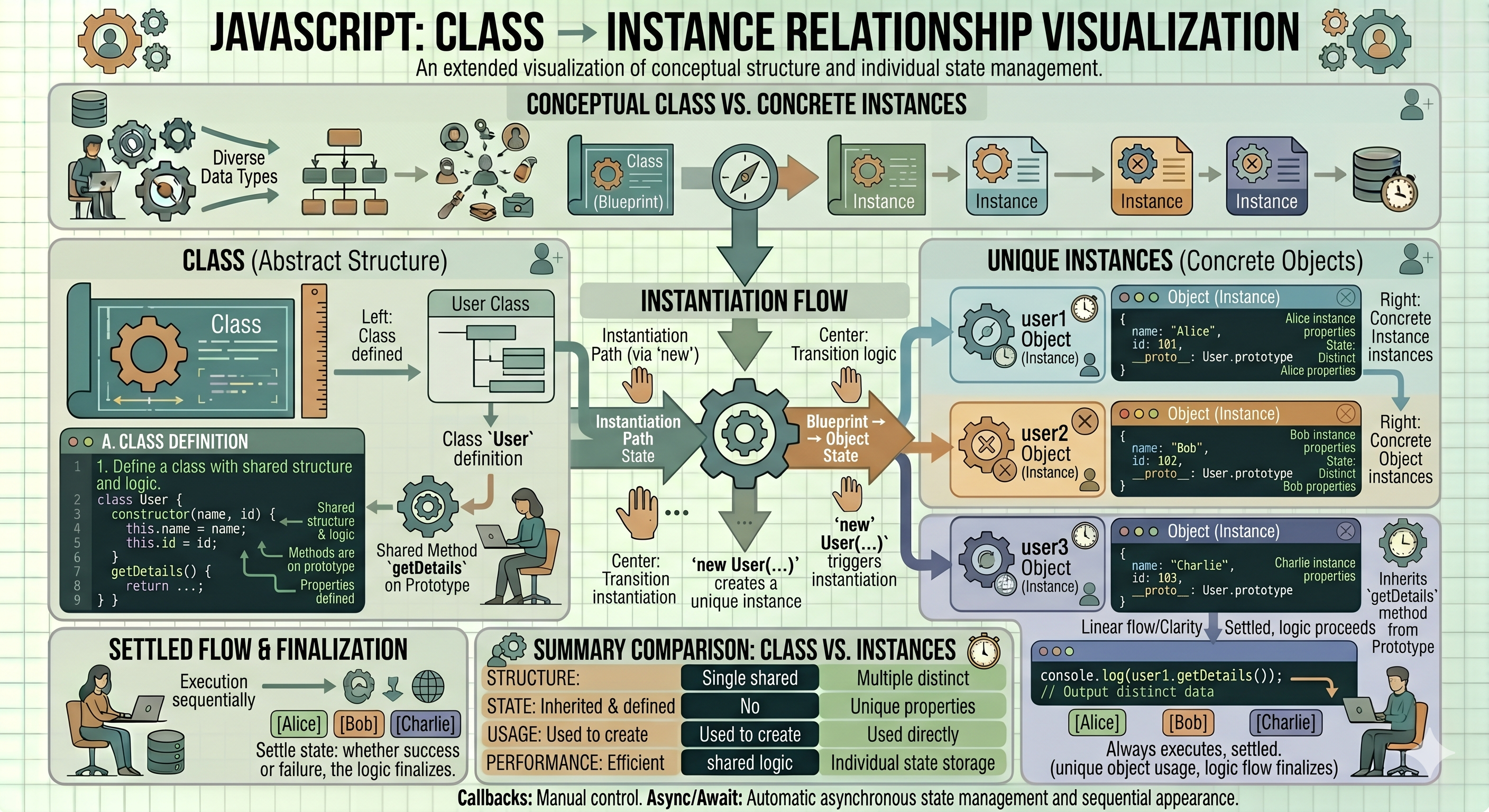
To create a class, you use the class keyword. To create an "instance" (an actual object) from that class, you use the new keyword.
class Car {
  // Class body goes here
}

const myCar = new Car(); // 'myCar' is an object created from the Car class
The Constructor Method
The constructor is a special method used to initialize objects. It runs automatically when you create a new instance of a class. This is where you set the initial values for your object's properties.
class Student {
  constructor(name, age) {
    this.name = name; // 'this' refers to the specific object being created
    this.age = age;
  }
}

const student1 = new Student("Alice", 20);
const student2 = new Student("Bob", 22);

console.log(student1.name); // Alice
Methods Inside a Class
Methods are functions defined inside a class that describe what the object can do. They allow the object to perform actions using its own data.
class Student {
  constructor(name, age) {
    this.name = name;
    this.age = age;
  }

  // A method to print student details
  displayDetails() {
    console.log(`Student Name: ${this.name}, Age: ${this.age}`);
  }
}

const student1 = new Student("Alice", 20);
student1.displayDetails(); // Output: Student Name: Alice, Age: 20
Basic Idea of Encapsulation
Encapsulation is the practice of combining data and the methods that manipulate that data into a single unit known as a class. It also involves restricting direct access to certain components of the object.
In simpler terms, think of it as a "black box." Just as you don’t need to understand how a car's engine works to drive it, relying only on the steering wheel and pedals, encapsulation allows you to use the class without knowing all the details of its inner workings. This approach helps prevent accidental interference with the data and makes the system easier to maintain.