What are arrow functions?
An arrow function is an alternative way of writing a normal function expression with some semantic differences.
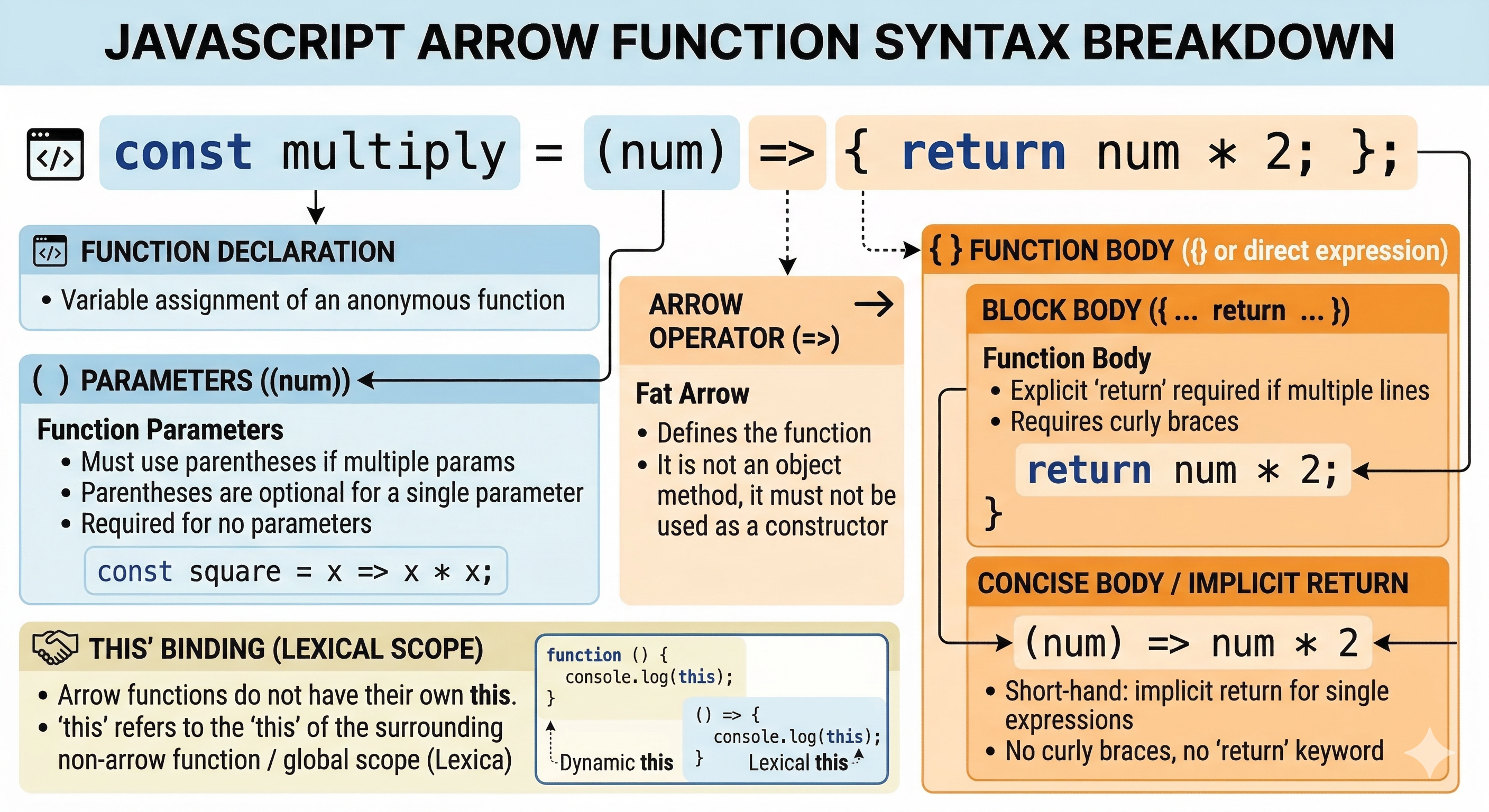
Syntax - const functionName = (parameters) => { // function body return result;};
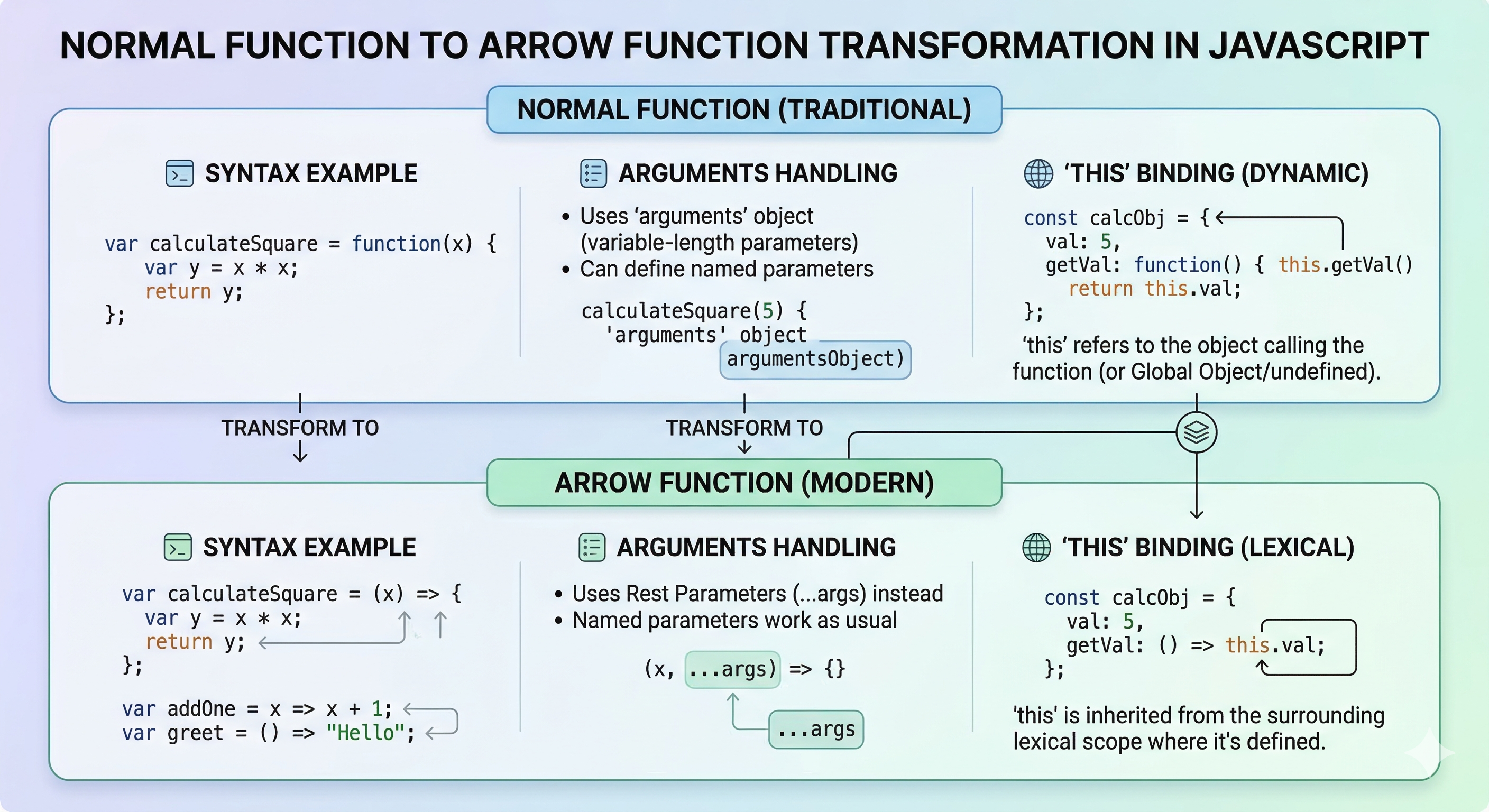
Normal Function
//Function that prints square of number
const squareNum(num){
  return num * num;
}

console.log(squareNum(4));
Arrow Function
//Square of number with arrow function
const squareNum = (num) => num * num;
console.log(squareNum(5));
Arrow functions without a parameter
An arrow function without parameters is denoted using empty parentheses (). These are used in callbacks, timers, or simple operations where input values are not needed.
const greet = () => {
  console.log("Hello Siddhartha")
}

greet()
Arrow functions with a single parameter
When an arrow function has only one parameter, it makes the syntax shorter and cleaner. These are mostly used in callbacks, array methods, or simple operations.
const isEvenOrOdd = (n) => n % 2 === 0 ? "even" : "odd";
Arrow functions with multiple parameters
Arrow functions with multiple parameters are used when a function needs one or more arguments.
const sumNumbers = (a, b, c) => {
  console.log(a + b + c);
}

sumNumbers(3, 6, 7);
Implicit return vs explicit return
Implicit return
An implicit return returns the result of a single expression in a single line without using curly braces. This feature is exclusive to arrow functions.
Mostly used in .map .filter to write clean and concise code.
const nums = [1, 2, 3, 4, 5];

const labels = nums.map(n => (n % 2 === 0 ? "even" : "odd"));

console.log(labels);
Explicit return
An explicit return uses the return keyword within a function's body to specify the value that should be sent back. This is required in standard functions and in arrow functions that use a block body (curly braces {}).
It is used in functions with multiple lines of code or complex logic.
const explicitAdd = (a, b) => {
// Can have multiple statements here
console.log(Adding ${a} and ${b});
return a + b;
// Explicitly returns the result };
Difference between an arrow function and normal function
| Arrow function | Normal Function |
|---|---|
| It is Shorter and more concise. | It requires a function keyword. |
| It does not have its own argument object. | It has its own arguments object. |
| Cannot be used as a constructor. | Can be used as a constructor with new. |
| It Implicit return for single expressions. | It must use the return keyword. |